
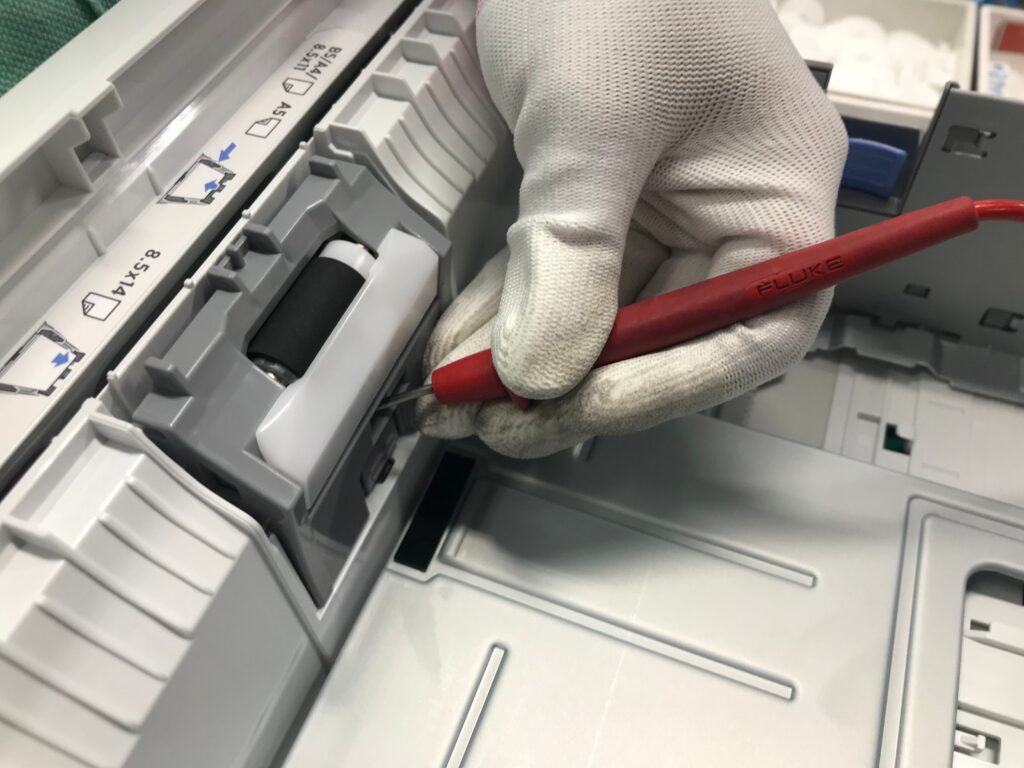
Printers are essential devices for homes, offices, educational institutions, and businesses. Whether you use your printer daily or occasionally, regular maintenance is crucial to ensure smooth performance, high-quality prints, and a longer lifespan. Neglecting printer maintenance can lead to paper jams, poor print quality, and costly repairs.
In this guide, we’ll discuss the best practices for maintaining your printer and when it’s time to seek professional help from an HP printer service center.
Why Printer Maintenance Matters
Regular printer maintenance offers several benefits:
- Improves print quality
- Reduces paper jams and technical issues
- Extends the life of the printer
- Lowers repair costs
- Enhances overall efficiency
A well-maintained printer can serve you reliably for many years while minimizing downtime.
1. Keep Your Printer Clean
Dust and debris can accumulate inside your printer and affect its performance. Clean the exterior and interior regularly using a soft, lint-free cloth.
Cleaning Tips:
- Turn off and unplug the printer before cleaning.
- Remove dust from paper trays and feeding rollers.
- Avoid using harsh chemicals or excessive moisture.
- Clean the scanner glass for clear scans and copies.
2. Use Genuine HP Ink and Toner Cartridges
Using genuine HP cartridges helps maintain print quality and prevents damage to internal printer components. Compatible or counterfeit cartridges may save money initially but can cause long-term issues.
For cartridge replacement and technical assistance, consult a trusted HP printer service center.
3. Print Regularly
If a printer remains unused for long periods, ink can dry up and clog the printhead. To prevent this:
- Print a test page at least once a week.
- Run printer maintenance utilities if available.
- Check nozzle performance periodically.
Regular use helps keep the ink flowing smoothly and prevents print quality problems.
4. Handle Paper Properly
Paper-related issues are among the most common printer problems.
Best Practices:
- Store paper in a dry environment.
- Use the correct paper type recommended by HP.
- Avoid overloading the paper tray.
- Remove damaged or curled paper before loading.
Proper paper handling significantly reduces paper jams and feeding errors.
5. Update Printer Drivers and Firmware
HP regularly releases software updates to improve performance, security, and compatibility.
Benefits of updates include:
- Better printer functionality
- Bug fixes
- Enhanced security
- Improved operating system compatibility
Always download updates from official HP sources or seek assistance from an HP printer service center in Kolkata.
6. Check for Error Messages Promptly
Ignoring warning signs can lead to bigger problems later.
Common printer warnings include:
- Low ink or toner
- Paper jams
- Connectivity issues
- Printhead errors
Address these issues immediately to avoid further damage.
7. Maintain Proper Ventilation
Printers generate heat during operation. Place your printer in a well-ventilated area and avoid exposing it to:
- Direct sunlight
- Excessive humidity
- Extreme temperatures
- Dusty environments
A suitable environment helps improve printer reliability and longevity.
When Should You Visit an HP Printer Service Center?
While basic maintenance can be done at home, some issues require professional attention.
Contact an HP printer service center if you experience:
- Frequent paper jams
- Printer not turning on
- Connectivity failures
- Poor print quality despite cleaning
- Hardware malfunctions
- Error codes that won’t disappear
Professional technicians can diagnose and resolve complex issues efficiently.
HP Printer Service Center in Kolkata
If you’re located in West Bengal and facing printer-related problems, visiting a reliable HP printer service center in Kolkata can save both time and money. Certified technicians provide expert repair, maintenance, cartridge support, firmware updates, and hardware replacements.
Choosing an authorized HP printer service center Kolkata ensures:
- Genuine spare parts
- Experienced technicians
- Warranty support
- Quick turnaround time
- Reliable customer service
Whether you own an HP Inkjet, LaserJet, or All-in-One printer, professional servicing can restore optimal performance.
Conclusion
Regular printer maintenance is the key to achieving consistent print quality and extending the lifespan of your device. By cleaning your printer, using genuine supplies, updating software, and handling paper correctly, you can prevent many common printer issues.
However, when technical problems arise, seeking assistance from an experienced HP printer service center is the best solution. If you’re based in Kolkata, a trusted HP printer service center in Kolkata can provide expert support and ensure your printer continues operating efficiently for years to come.
How to Maintain Your Printer: Essential Tips for Long-Lasting Performance
Printers are essential devices for homes, offices, educational institutions, and businesses. Whether you use your printer daily or occasionally, regular maintenance is crucial to ensure

HP Laptop Not Turning On? Complete Guide & Expert Solutions from HP Service Center in Kolkata
In today’s digital world, laptops have become an essential part of our daily lives—whether for work, education, or entertainment. So, when your HP laptop suddenly